Where Custom Fields Appear
After profile sections, groups, fields, access rules, and visibility are set, custom fields appear in the places where people need to review or complete that information.
Parent portal
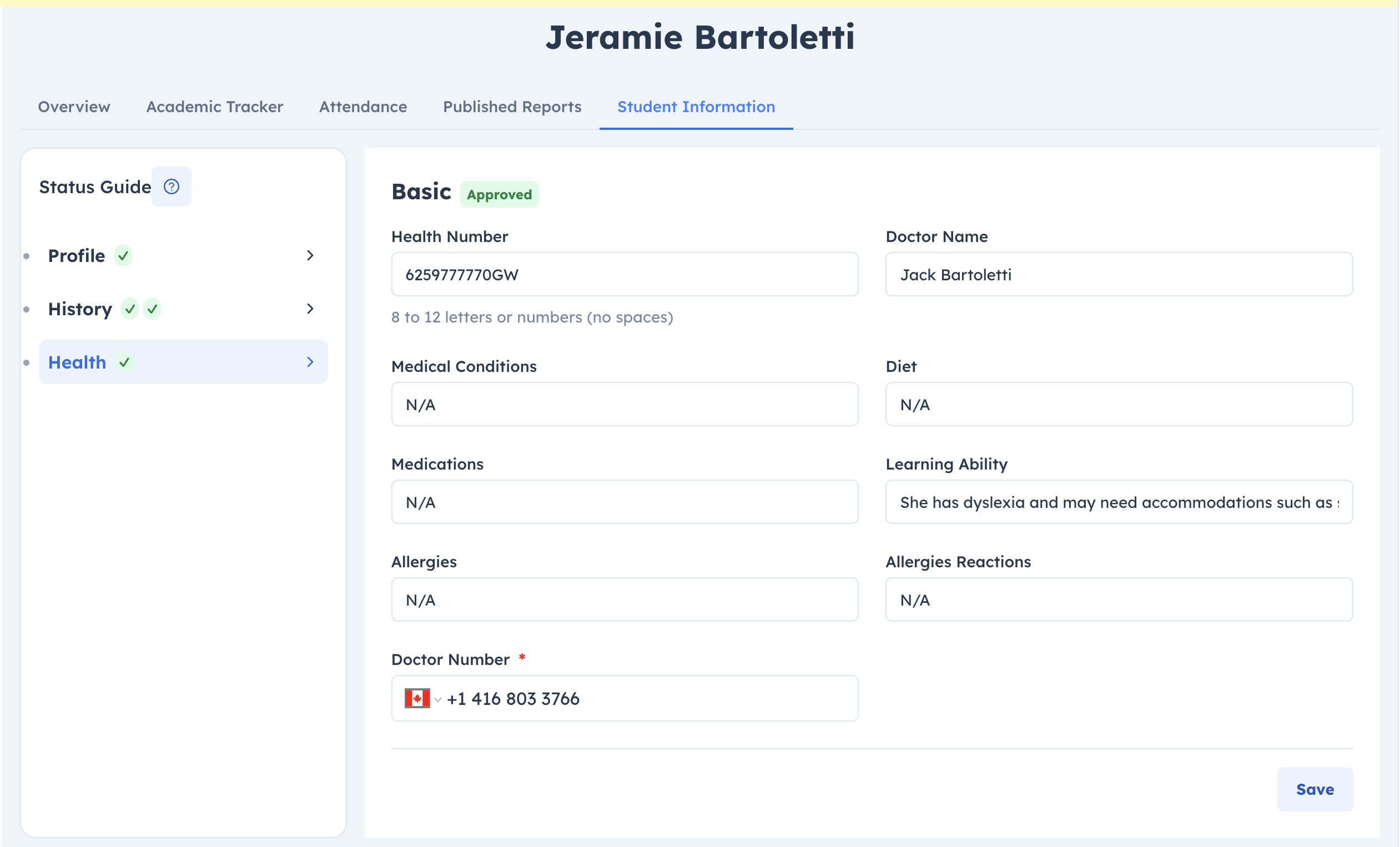
Student custom fields appear in the parent's student profile under Student Information.
Parents see the student groups that match:
- the student's current status
- the parent-facing status visibility list
- active student profile sections
- active fields
- the group's access rules
If a group is part of a required action and Family write access is allowed, parents can fill or update the group's fields from the required action flow.
Onboarding pages
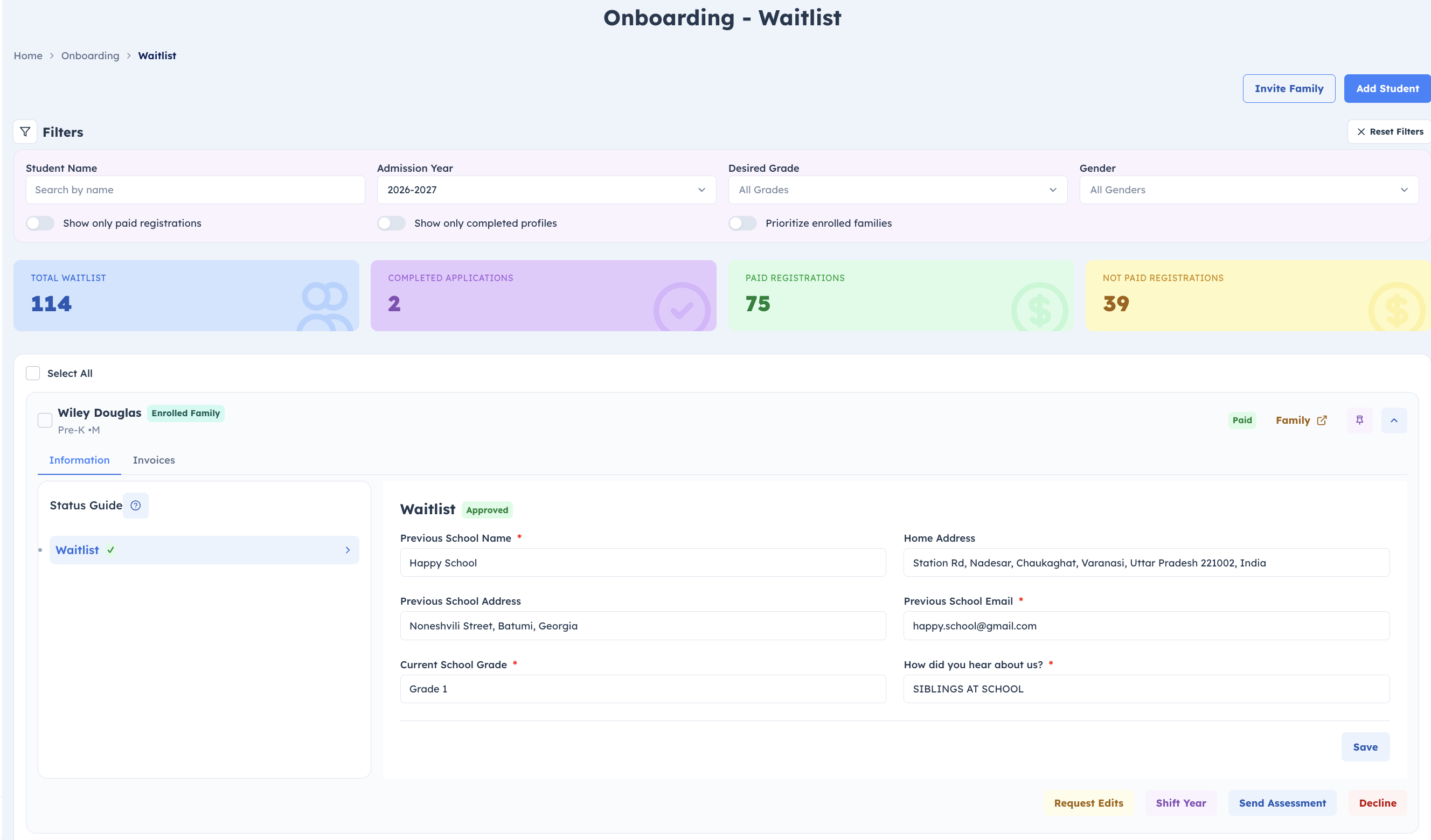
Custom fields appear inside onboarding student cards on the Information tab.
Waitlist, applicant, assessment, and re-registration views load the custom field groups for that student status.
In onboarding:
- student groups appear in the student information area
- parent groups appear with the family or guardian information when that view includes parent details
- onboarding admins can review submitted values
- onboarding admins can request edits, approve groups, or continue the student's onboarding action
Teacher and staff view of parent fields
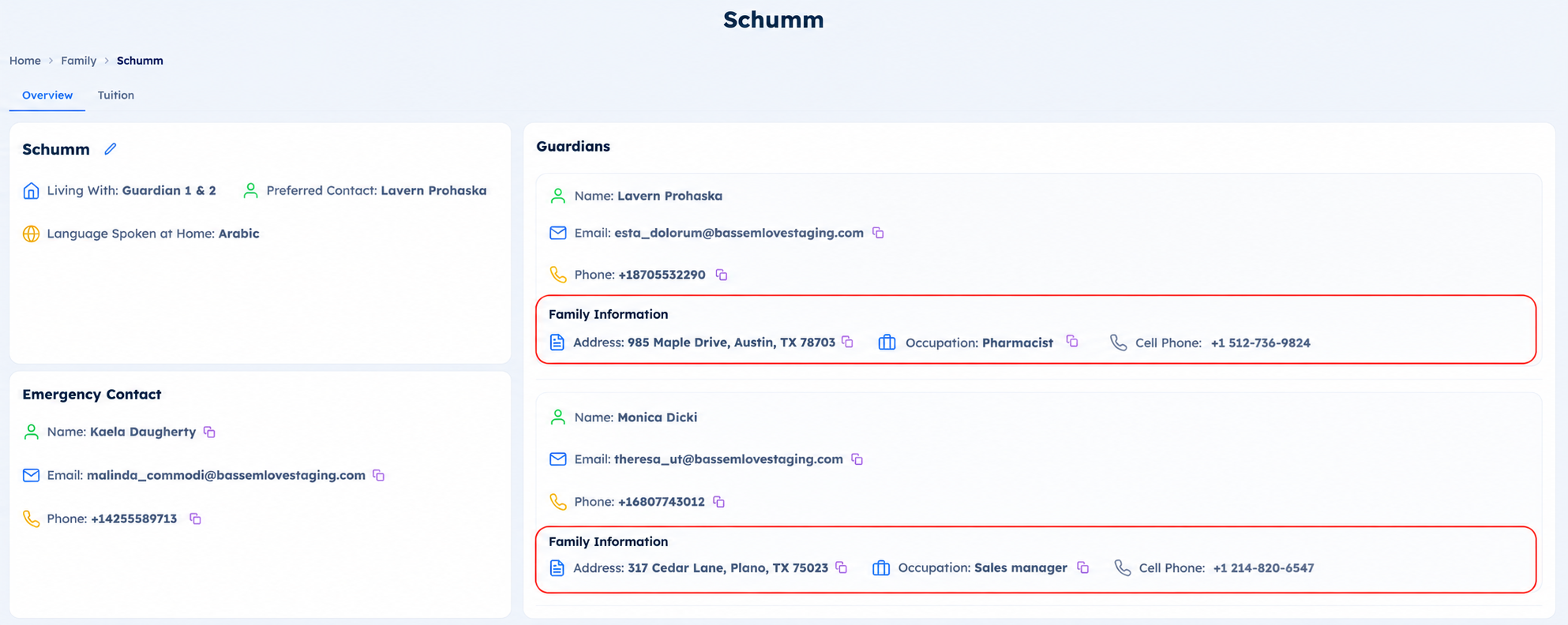
For teachers and staff, parent custom fields appear with the student's family or guardian information when the viewer has access to those parent groups.
This keeps parent-specific details close to the family record instead of mixing them into the student's own custom-field sections.
Student profile
Student custom fields appear in the student's profile under Student Information when the viewer has access and the group matches the relevant visibility conditions.
The page is organized by profile section. Each section contains the groups that belong to it, and each group contains its own fields and review status.