Add an Existing Student to the Waitlist
Goal
Add a student who already exists in BassemLabs to the waitlist for a new school year, without creating a duplicate student profile.
Use this when a returning or existing student needs to join a new admission year waitlist.
Where to go
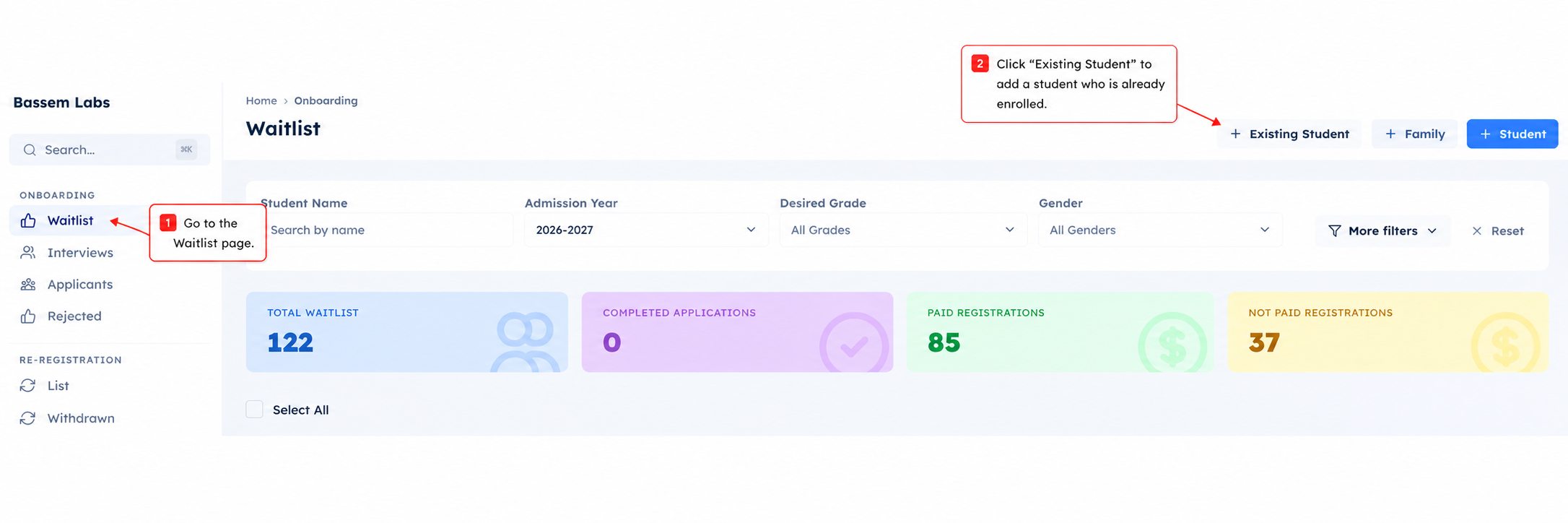
- Open Onboarding.
- Go to Waitlist.
- Click Existing Student.
What to select
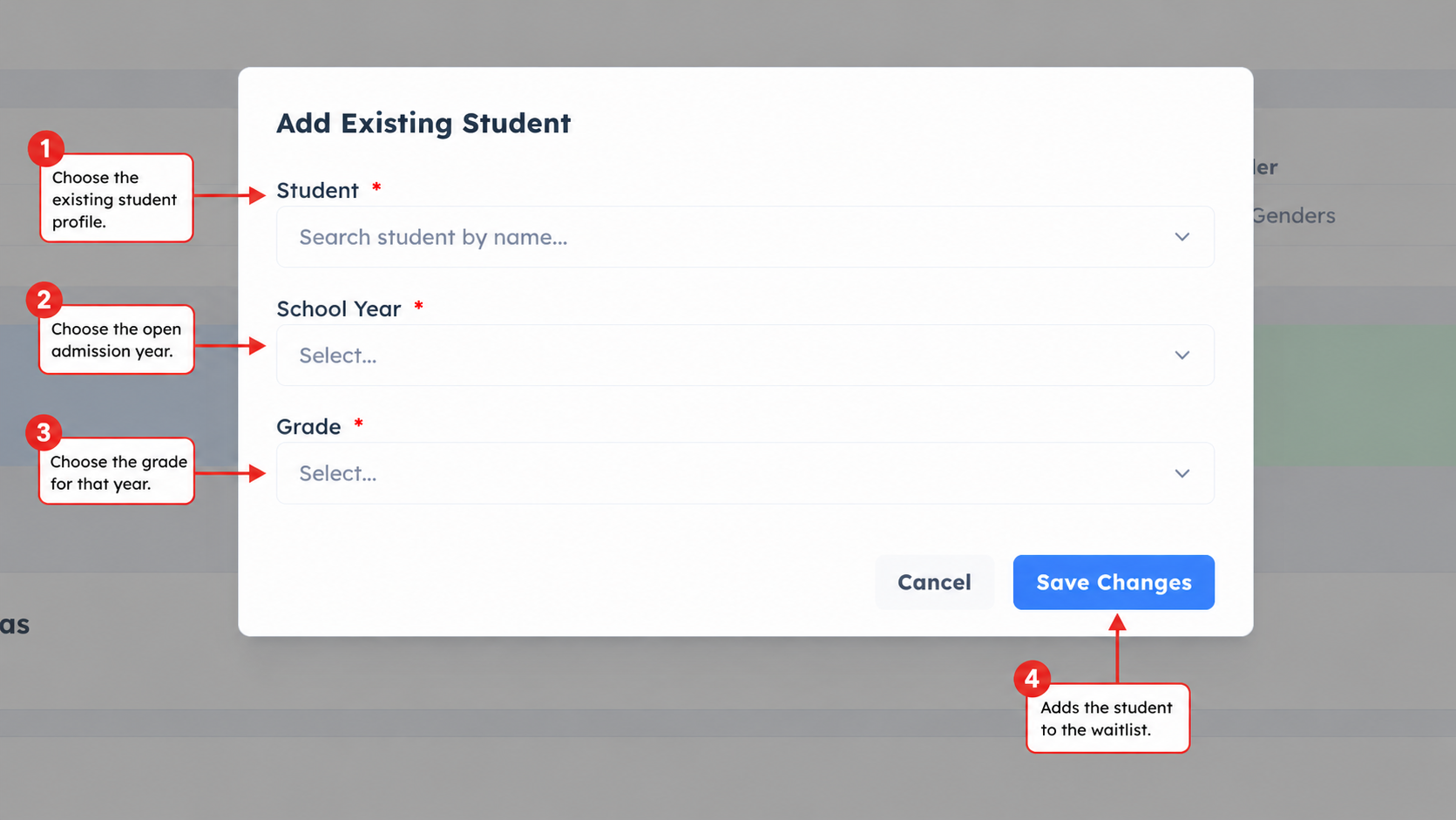
In the dialog, choose:
- Student: the existing student profile.
- School Year: the admission year you want to add the student to.
- Grade: the grade the student is applying for in that year.
Only school years open for registration are shown.
Who can be added
A student can be added when:
- the school year is open for registration
- the student is not already connected to that school year
- the student is not currently enrolled in the active school year
- the selected grade is available for that school year
If one of these conditions is not met, BassemLabs blocks the action so the student record stays clean.
What happens after saving
After saving, the student appears on the Waitlist page for the selected school year.
From there, the normal waitlist process starts:
- waitlist custom fields can be completed
- required actions can appear for the family
- admins can review the student
- waitlist invoices are created if your school uses a waitlist fee
- the student can move through the next admission steps
Parent note
Parents may also see Add to waitlist for their own student when the student is eligible. The main review and follow-up work still happens from the admin Waitlist page.